UI Overview
The Burrito UI is a web-based interface that allows you to view the state of your Terraform layers and resources, as well as the drift between the desired and actual state of your infrastructure.
Pre-requisites
- A running Burrito installation
Accessing the UI
The Burrito UI is accessible via a web browser. To access the UI, you need to expose the burrito-server service locally or on a public URL.
Authentication
By default, Burrito uses basic authentication with a username and password. The default credentials are:
- Username:
admin - Password: Generated on install in a Kubernetes Secret named
burrito-admin-credentialsin the Burrito server namespace.
More secure authentication methods like OpenID Connect (OIDC) can be configured for production use. For more details, see the Authentication Guide.
Features
Homepage
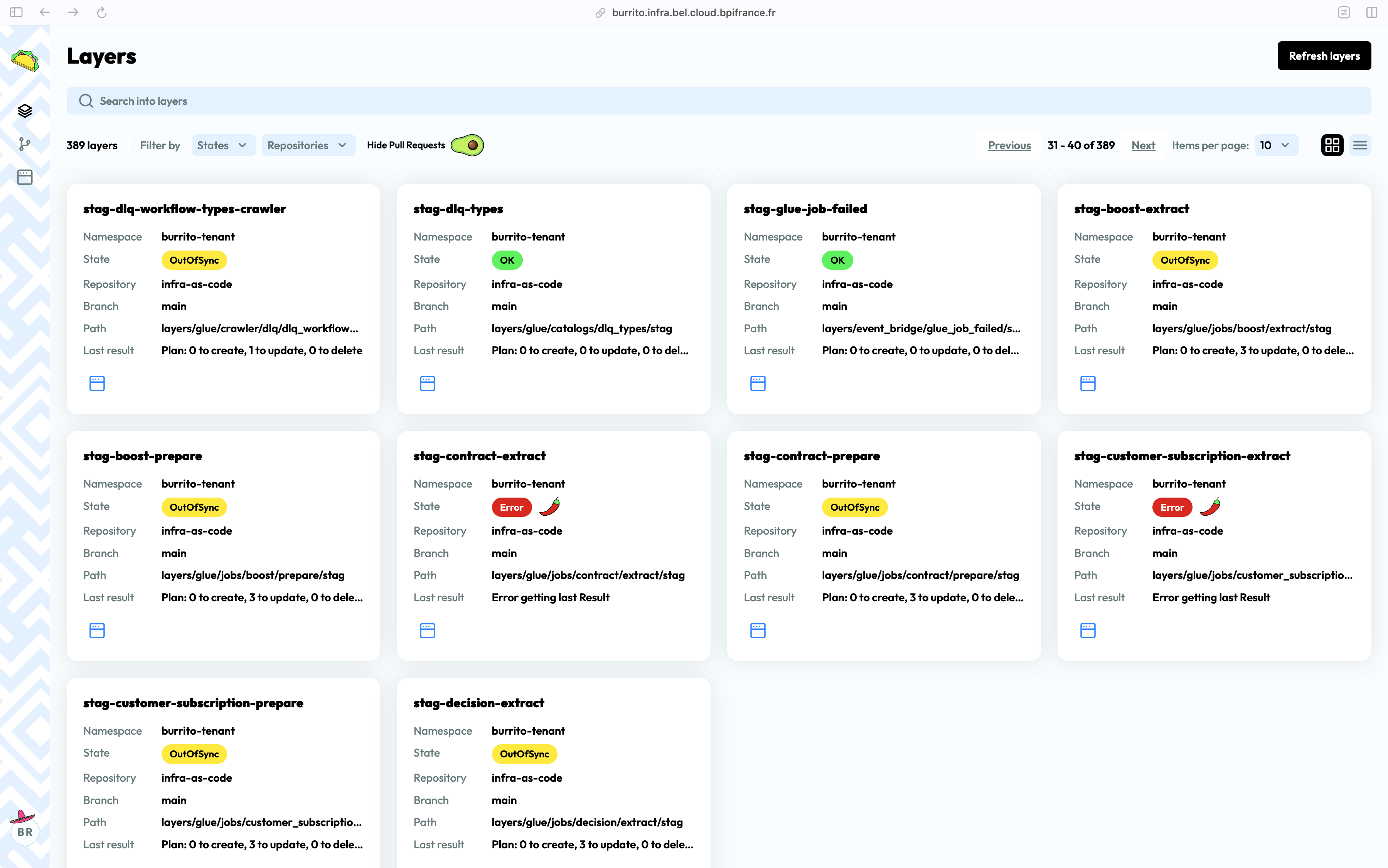
The homepage displays a list of all the Terraform layers that have been added to Burrito. Each layer is displayed as a card with the following information:
- Namespace
- Repository
- Branch
- Code path
- Last plan result
- State (Error, Out-of-sync, OK)
Terraform / Terragrunt logs
Click on the layer card to view the Terraform or Terragrunt logs for that layer. You can explore previous runs and view the logs for each run. The maximum number of logs to keep is configurable.
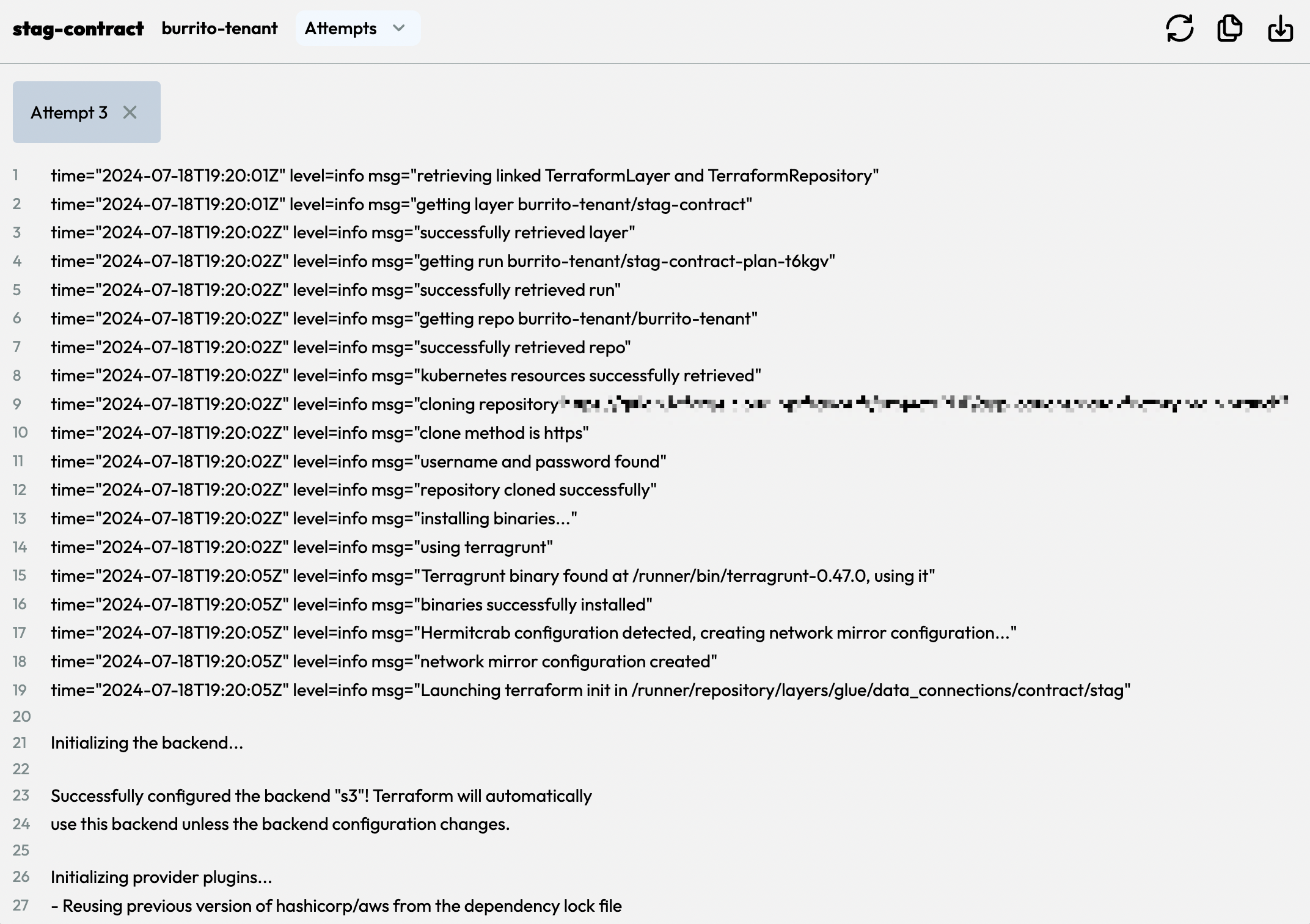
A dedicated page for exploring the logs is also available.
Layer page
Click on a layer to open its dedicated page. It shows:
- The state graph: the resources managed by the layer and the dependencies between them, built from the Terraform state after each plan or apply.
- The result of the last plan overlaid on the graph (resources to create, update or delete).
- The last commit that triggered a run (hash, author and message).
Note
The state graph is only available once a plan or an apply has run on the layer with a non-empty state.
More to come
Burrito is under active development, and we are working on adding more features to the UI such as:
- "Plan and apply" buttons
- Notifications
- User management
- Pull request view ... and more!